Regardless of whether you think the iPhone 6 (and 6 Plus) looks sweet or not, if you're a South African and don't feel like paying one helluva premium for a grey imported smartphone, you'll have to wait until late November before you can upgrade your handset to one of Apple's new gadgets.
In the meantime though, you can get your hands on Apple new mobile operating system, iOS 8, which has most of the goodness Apple will be rolling out with its new devices baked right in.
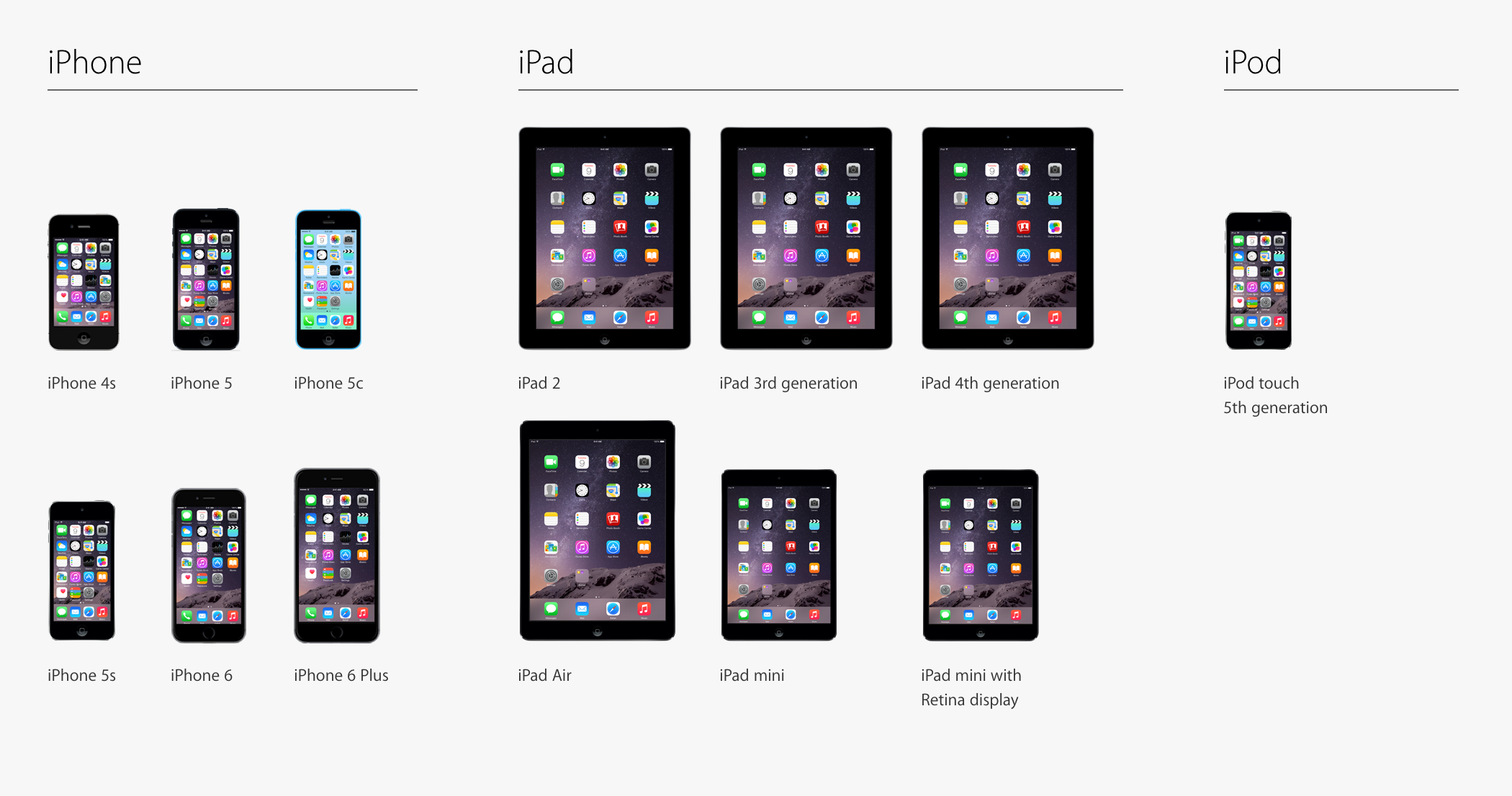
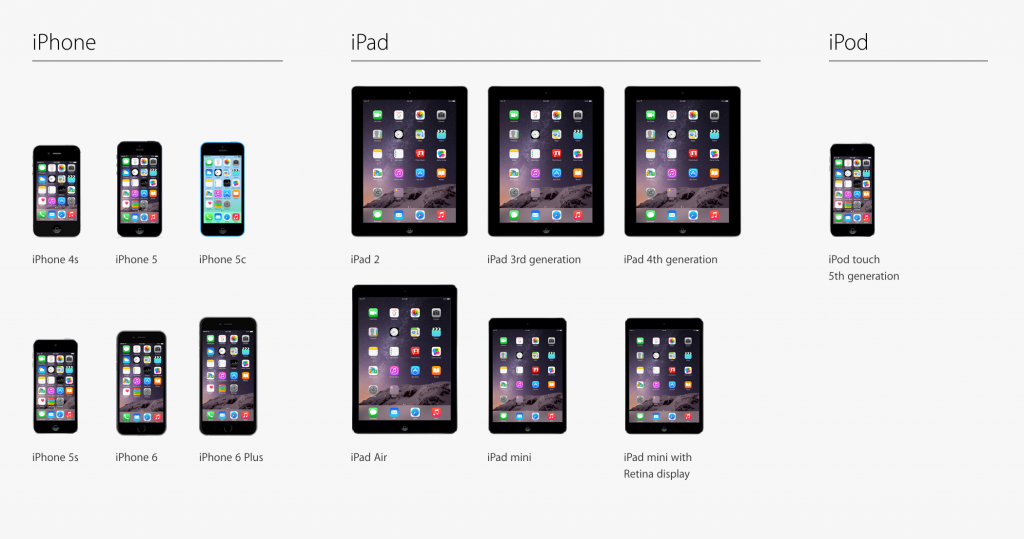
As with previous editions of iOS you'll need a compatible device. So, providing you have an iPhone 4S, 5, 5c or 5s; 5th Generation iPod Touch; or an iPad 2, iPad with Retina, iPad Air, iPad Mini or iPad Mini with Retina, you're all good.
Overall look and feel
There's not a lot that's changed look and feel-wise since the major overhaul Apple made to its interface when it shipped iOS 7.
Things might seem a little smoother and crisper on iOS 8, but that's probably got more to do with app developers cleaning up their logos, icons and other bits and pieces than anything else.
There are some uber-cool tweaks and features to the underlying iOS 8 system that make getting around it and using it a ton simpler though.
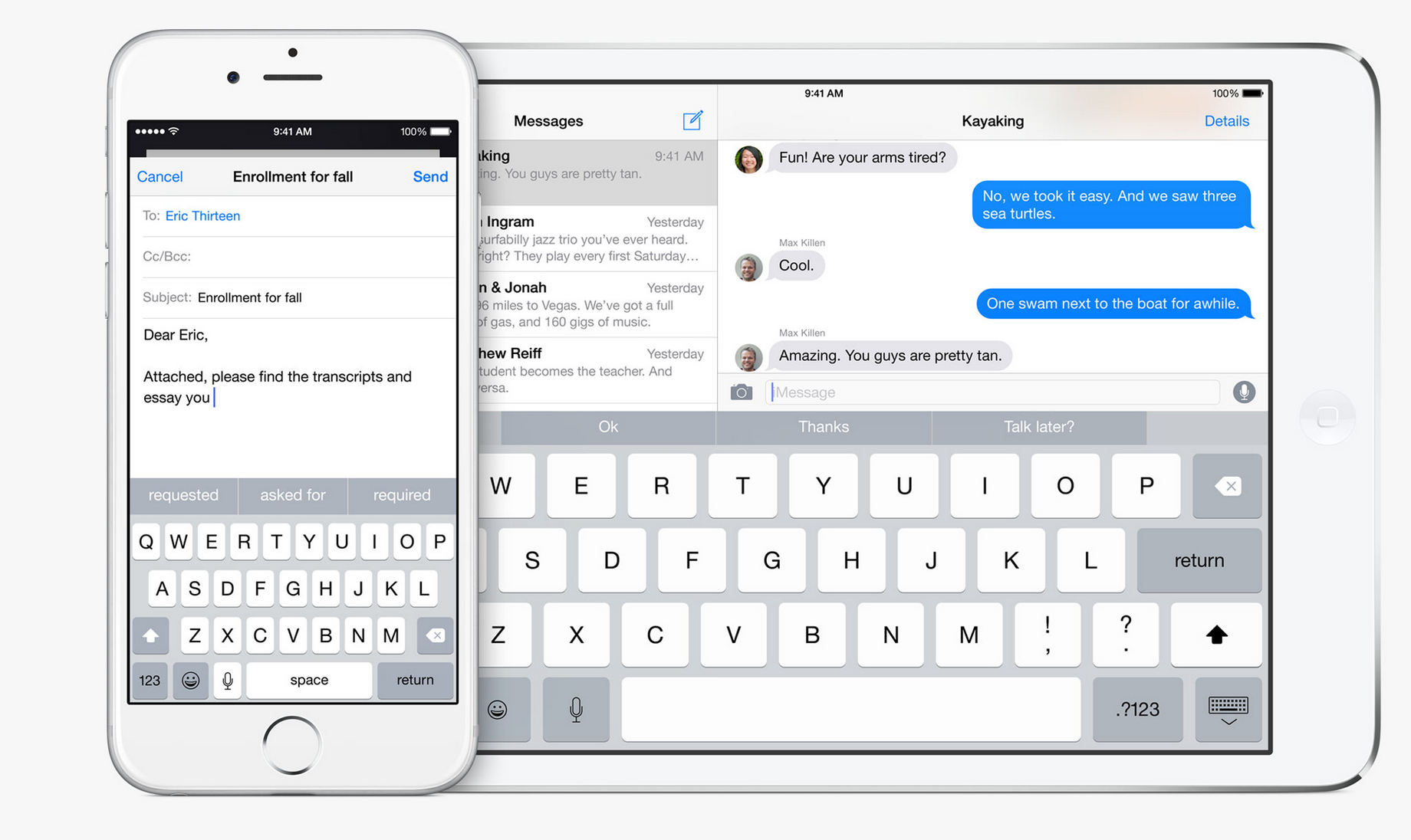
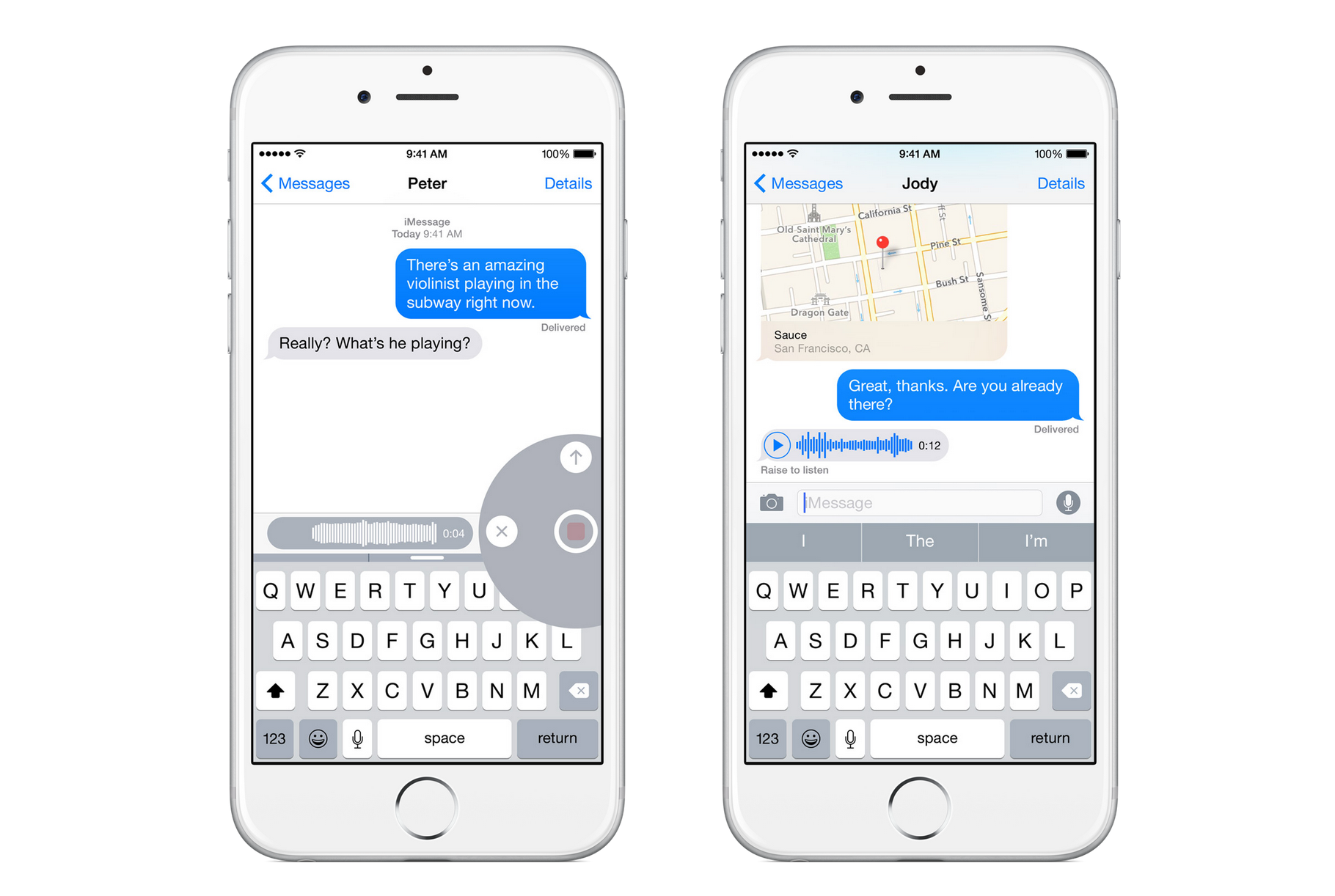
Something you'll notice from the word 'go' is the new QuickType keyboard which emulates a great deal of what made Blackberry's revolutionary new touch keyboard cool, in that it supports prediction.
The intelligence behind the keyboard will consider what application you're in (your text messaging tone might be less formal than your e-mail tone) and who the message is addressed to, along with phrases and words you typically make use of, when it makes a prediction, which is pretty neat.
The 'learning' and 'ability to 'distinguish between apps' part will only work in iOS native apps, however, which is sad.

For the first time ever, however, iOS will have support for third party keyboards and most notably, SwiftKey, which for many users is an essential addition to Android.
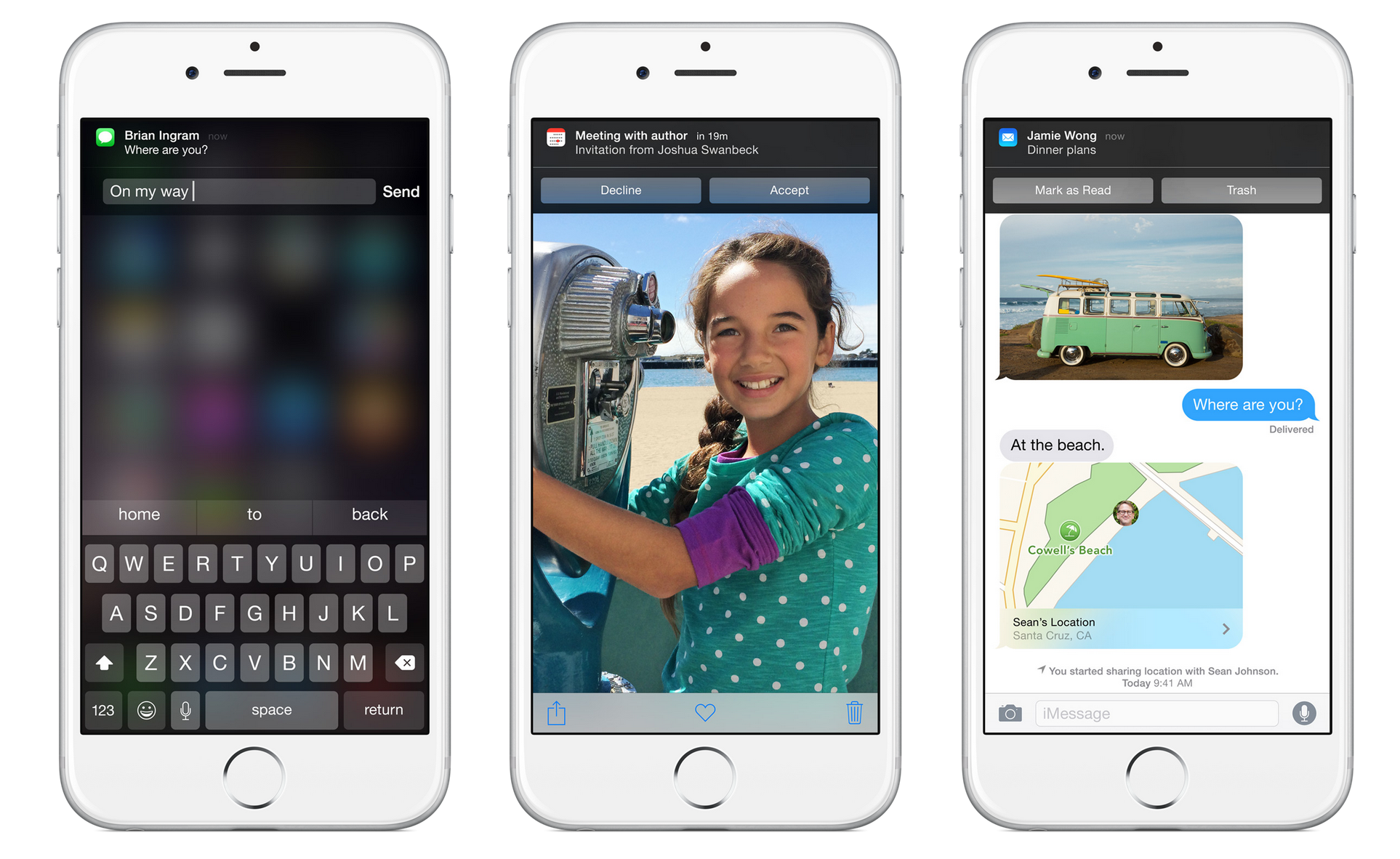
Next, you'll notice that a whole bunch more applications show up in the notification centre than ever before. On top of that, those notifications will now have the ability to kick off quick actions.
In other words, tapping on the notification won't take you into the application any more – you'll be able to respond to messages (and tweets), accept or decline calendar invites and 'mark as read' or 'trash' mails as they come in, not to mention the other actions third party developers will use the feature to enable.
If you head over to the 'today screen' in the notification centre you'll also see a ton more widgets than the default calendar view. That's because iOS 8 allows app developers to build widgets that are either stand-alone or accompany their apps to give you relevant info when you need it.
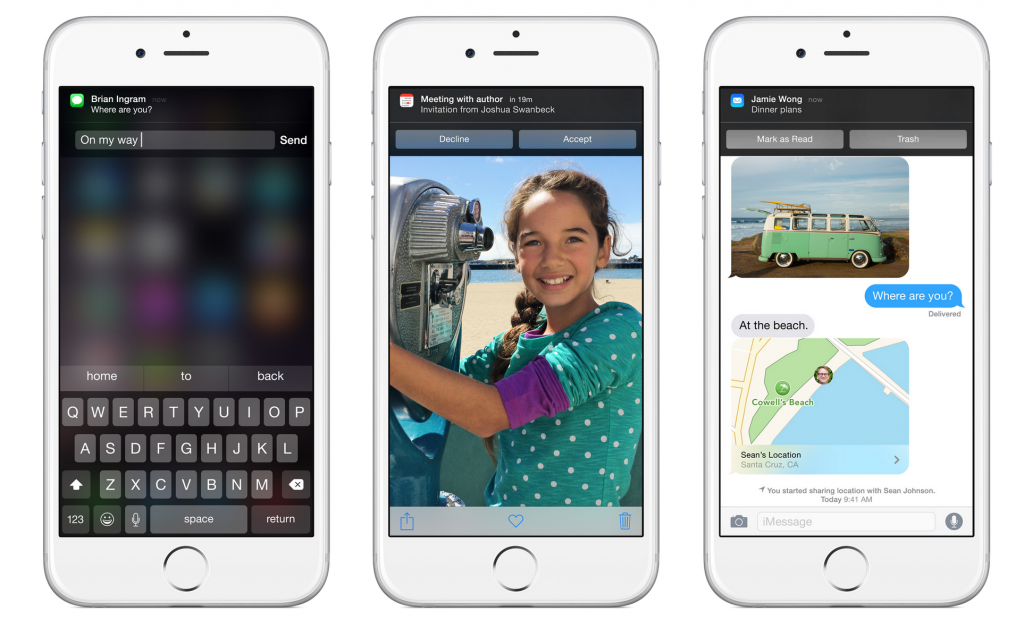
Expect to see the list of widgets grow as iOS 8 rolls out.
From within apps – native or third party – you'll also notice the presence of a whole bunch of new icons in the share dialog. Through some architectural changes Apple has made in iOS 8, you'll be able to share content more easily between its own applications and third party applications, without having to cut and paste, or double-tap the home button and physically switch apps.
Speaking of double-tapping the home button, this feature is still used to switch apps, but now also displays the faces (or associated icons) of contacts you've recently interacted with, so you can tap on them and very quickly call or text them.
While the vast majority of the changes Apple has made to iOS 8 are under the hood (and in key common areas like the Notifications Centre and the multitasking interface) there are a handful of cool updates to apps that come natively installed with the OS, like Photos, Mail Messaging, Mail and Spotlight.
And the extent of these changes vary from app to app.
Pictures please
Photos, for example, has gotten a very big overhaul, in that there's a bevy of new search options to make use of if you have tons and tons of photos in your library. You can search by the date the photo was taken, its location, or album name, or use smart suggestions to find photos taken nearby your current location, photos taken the same time last year, or those you've tagged up as favourites.
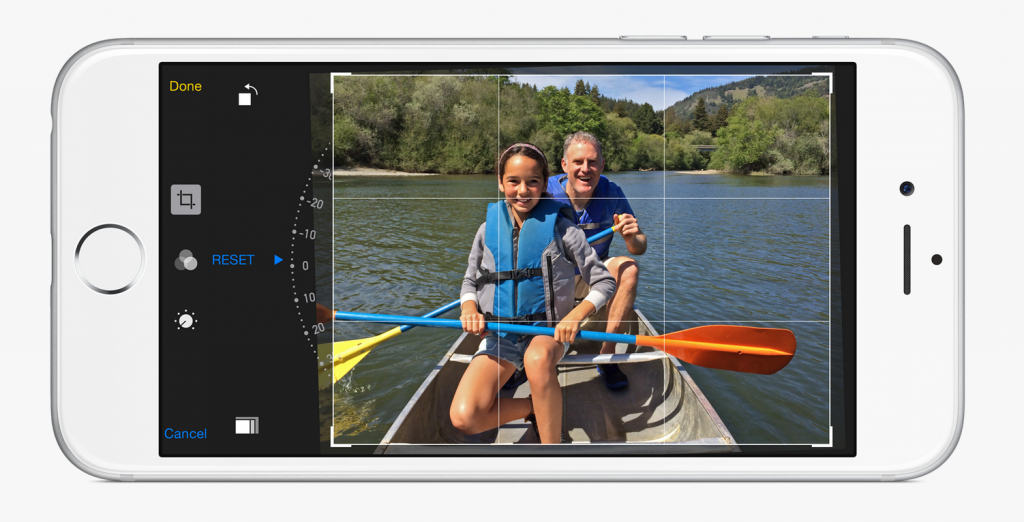
That's a nice set of additions. But what truly makes the new Photos app rock is the massive overhaul to its editing capabilities. Not only is the editing interface different, showing you a bunch of different options simultaneously in landscape mode, smart adjustments allow you to adjust lighting, colour saturation and make granular changes to exposure, highlights, shadows, brightness, contrast and the Black Point; or apply a host of quick filters.
A number of manual capabilities and adjustments – like those popularized by Nokia's Lumia 1020 and Sony's Xperia phones – have also been added to the camera app, along with new time-lapse videos, which are great for creating those artsy stop-and-start style sunset and traffic videos.
Mail trail
iOS has one of the best looking and functioning e-mail clients in the game. And that's why the fact that there are not a lot of interface changes is a good thing.
Mail now does however allow for users to very quickly jump between their Inbox and drafts folder (super useful for copying and pasting bits of info from previous mails into outgoing mails) and now scans items in your inbox intelligently for things like addresses, contact details and even flight numbers. The Mail client then underlines these items with a tap, do things like create new contacts, book time in diary and get directions.
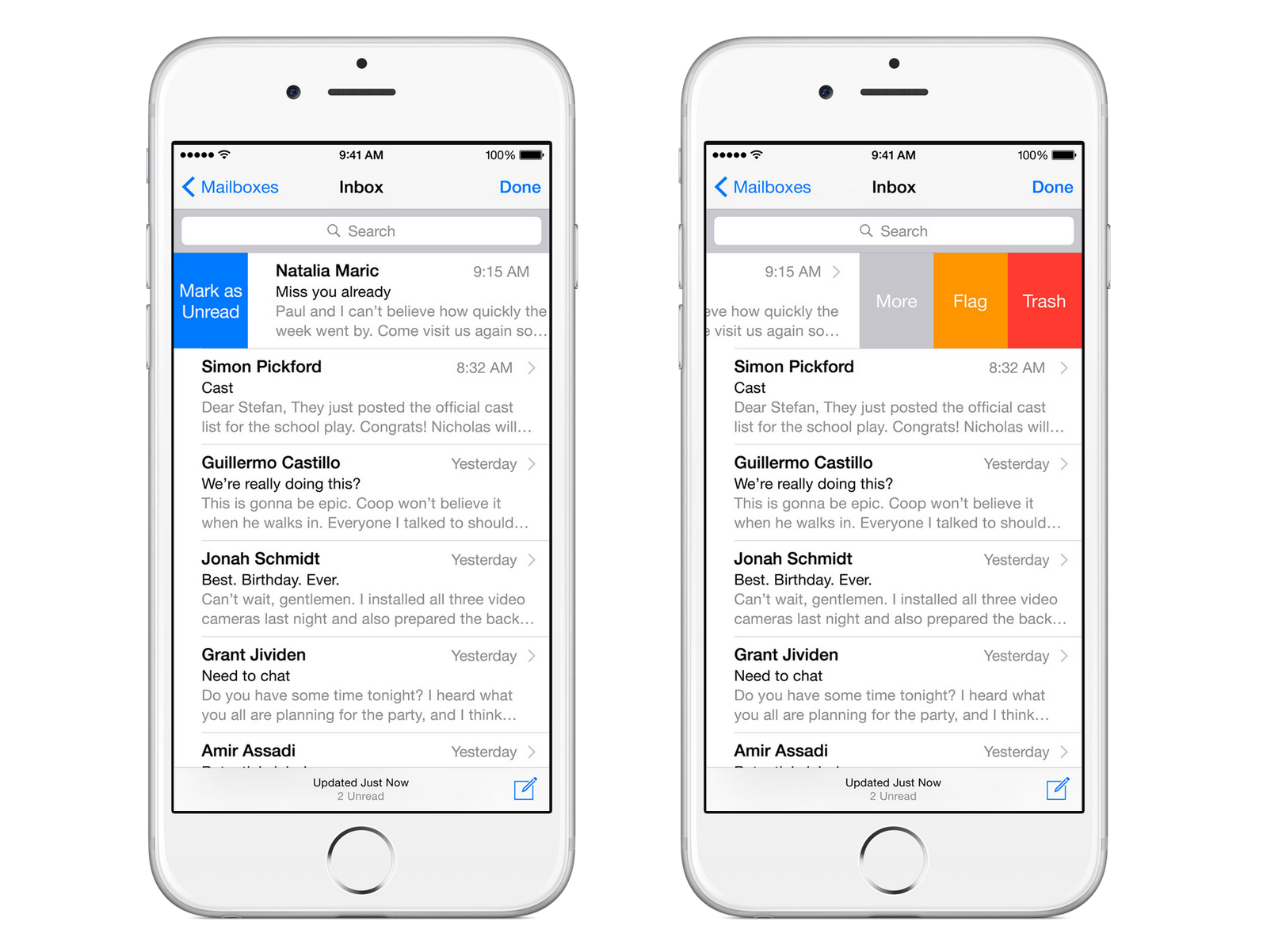
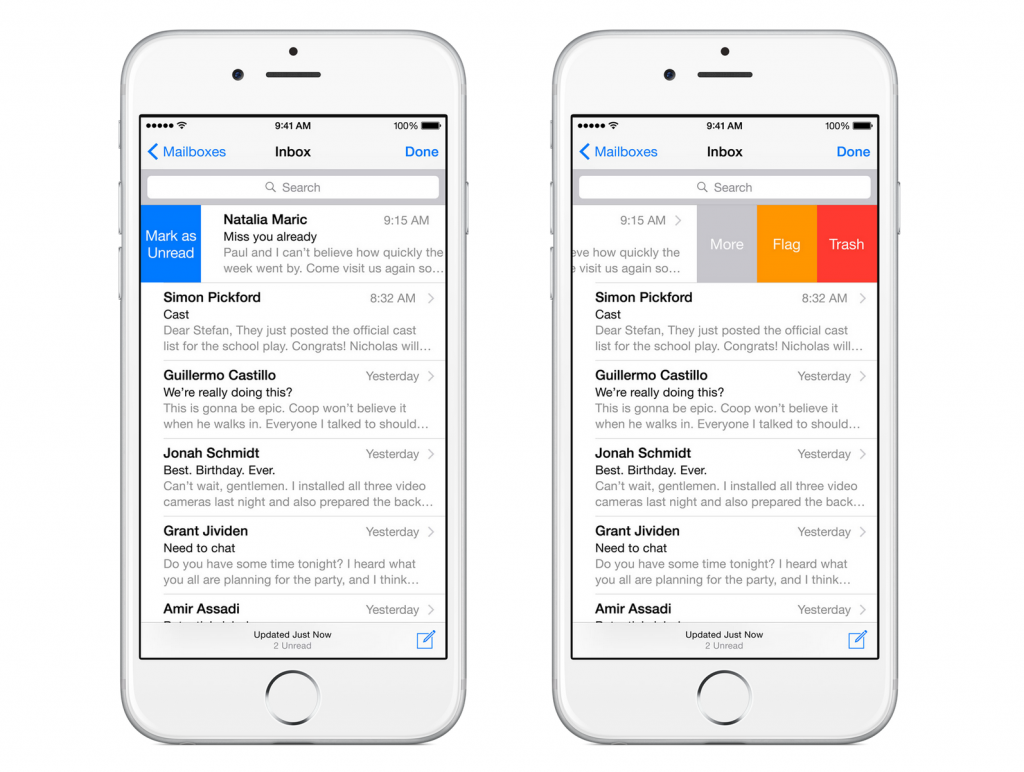
A last little upgrade to Mail's functionality allows for additional things to be done with an e-mail using the swipe gesture. Instead of just allowing you to archive, or access more options with a swipe, you can now set as unread, flag, trash and access more options.
Follow-me SMS and MMS
iMessages are hugely popular in that they're essentially free SMS and MMS. The problem is, some of your contacts don't iMessage it all the time, particularly when they're out of data range and need to send SMS messages.
While this is cool if your only iOS device is a smartphone – as the little green bubbles (SMS/MMS) and blue bubbles (iMessages) thread nicely – if you have an iPad and an iPhone (and/or a Mac), you'll find the green bubbles mysteriously absent from your iPad (and/or Mac).
iOS 8 solves this by automatically synchronising your SMS and MMS messages across all of your Apple iMessage-capable devices. This means you'll be able to able to follow a text conversation with a contact perfectly, regardless of whether iMessages or SMS messages were part of the equation.
iMessage has also been upgraded to compete more heavily with Whatsapp, which has eaten into iMessage's usefulness because it's more feature rich and OS agnostic.
Apple has now hit back with the ability to insert voice, video and pic attachments into an iMessage at the tap of a button, share your location with a contact either in perpetuity or for a set period of time, great conversation groups and send multiple attachments at once.

Keeping it in the family
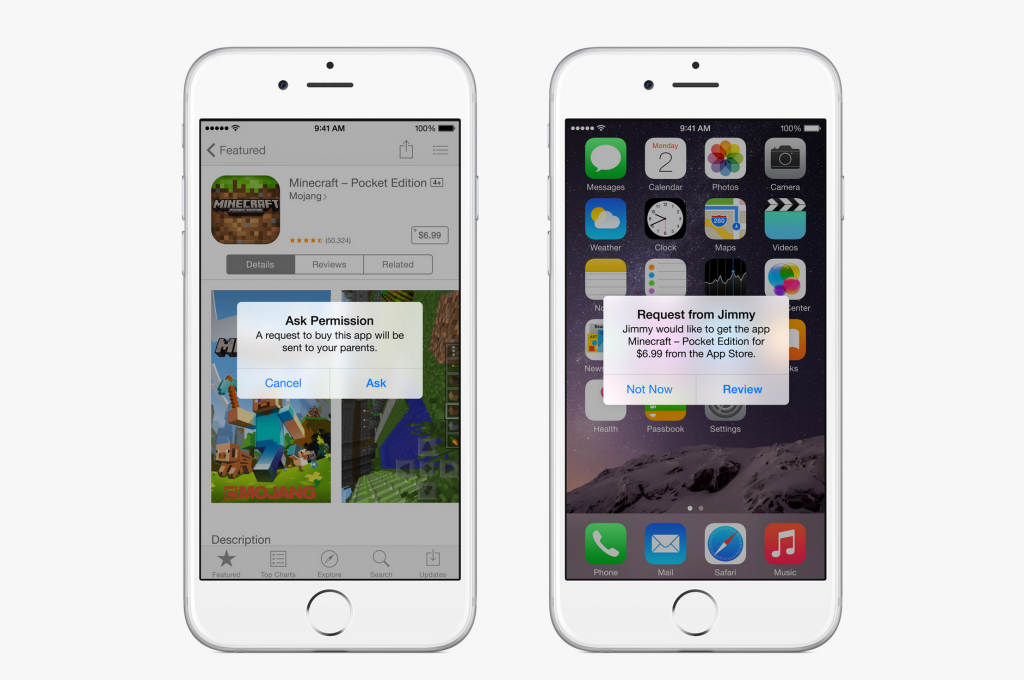
iOS devices – specifically iPads – are popular for family use. But, families invariably imply minors who can't really own an Apple ID. That in turn means that families have to share a single Apple ID, because Mom and Dad are the custodians of the credit card and password (and of age).
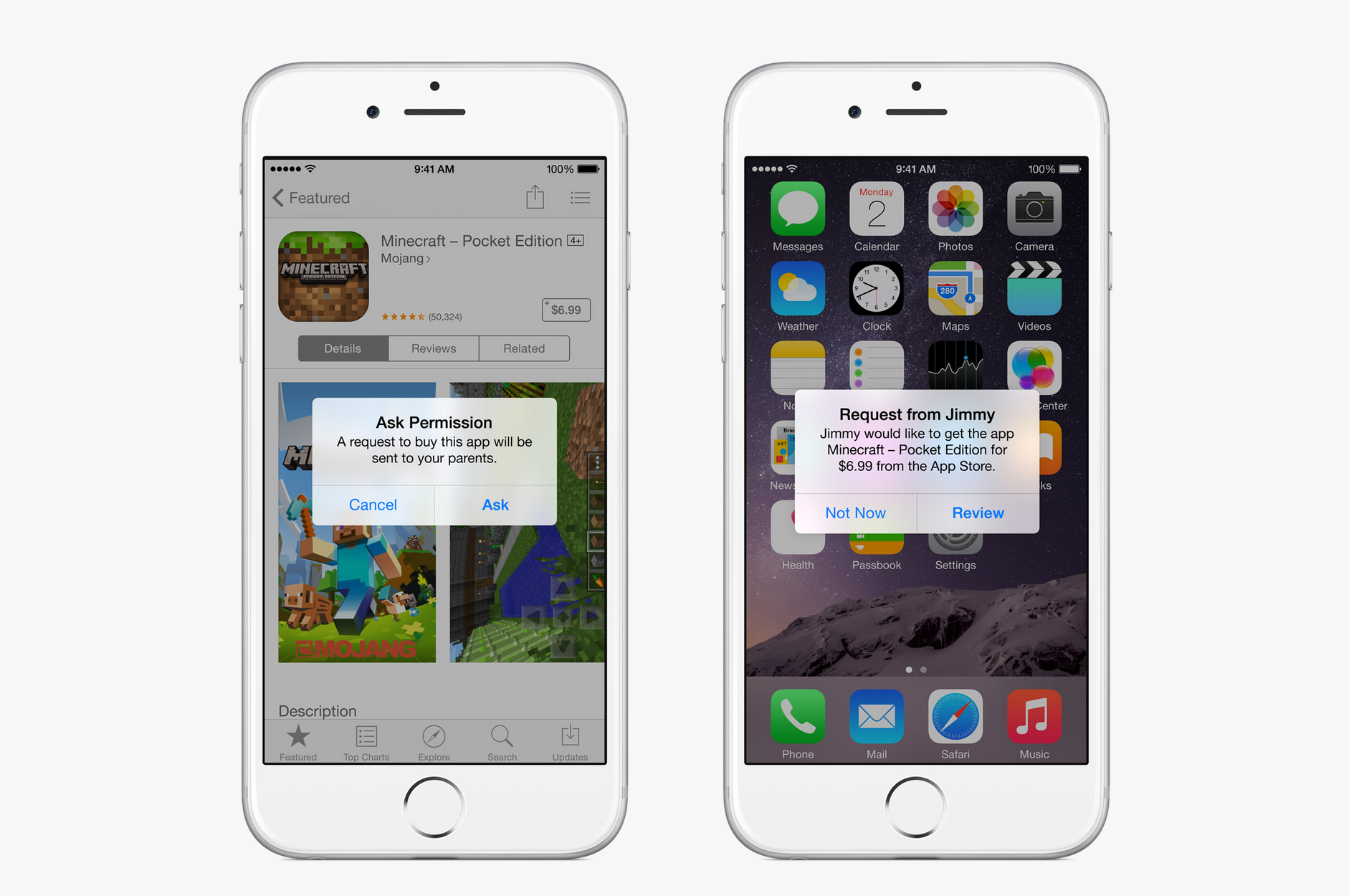
With iOS 8, Apple has introduced family sharing, which as its name implies eases this whole scenario.
We're talking six Apple IDs (and now accounts for minors) all sharing in each other's purchases of apps, music, videos and books – and most importantly a single credit card. To curb spending and manage the appropriateness of content, secondary accounts can be setup to ask for permission to download or buy a piece of content.
Family sharing also means the ability to set up combined photo libraries and a shared family calendar (all synced up with iCloud), not to mention tracking and location sharing.
This is a biggie.
Healthy times
Smartphones and the bevy of apps and wearables that reside around them have become the proverbial centre points in the fitness tech revolution. The problem is, every app has its own little kingdom and doesn't easily share its data with the others.
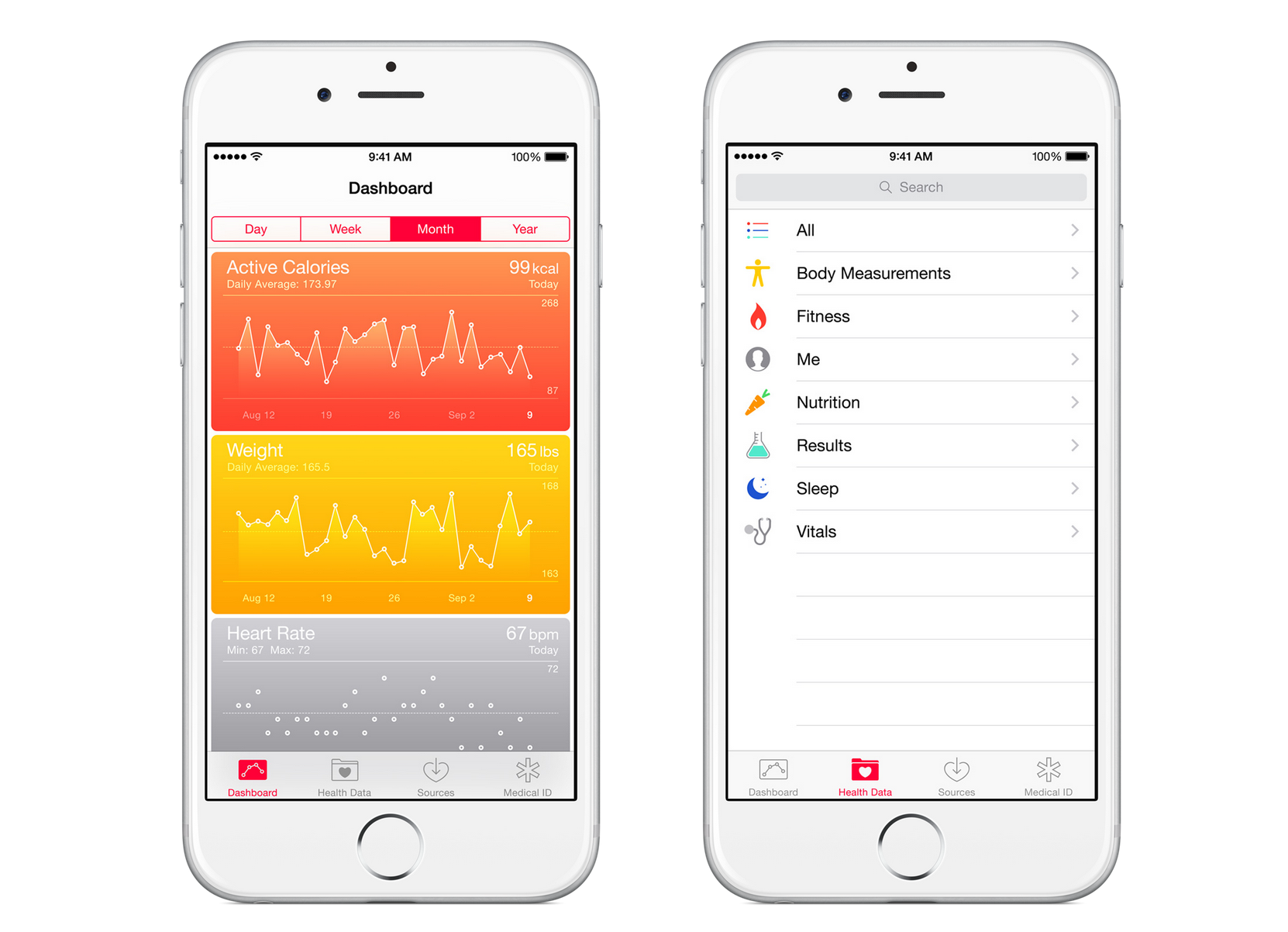
Apple's new Health app and more importantly, HealthKit developer toolset lays the groundwork for the various fitness apps available today to share their data with each other and for all of the data that each distinct app is collecting to be made viewable in a single aggregated dashboard.
Not only does this allow you too see all of your data in one place, but also for your running app (for example) to know what your sleep cycles and calorie intake was for the past day, so it's able to serve up a more appropriate route.
This will no doubt be extended even further with the host of new sensors built into the new iPhones and towards the early part of next year, the Apple Watch.

Continuity – The next big thing
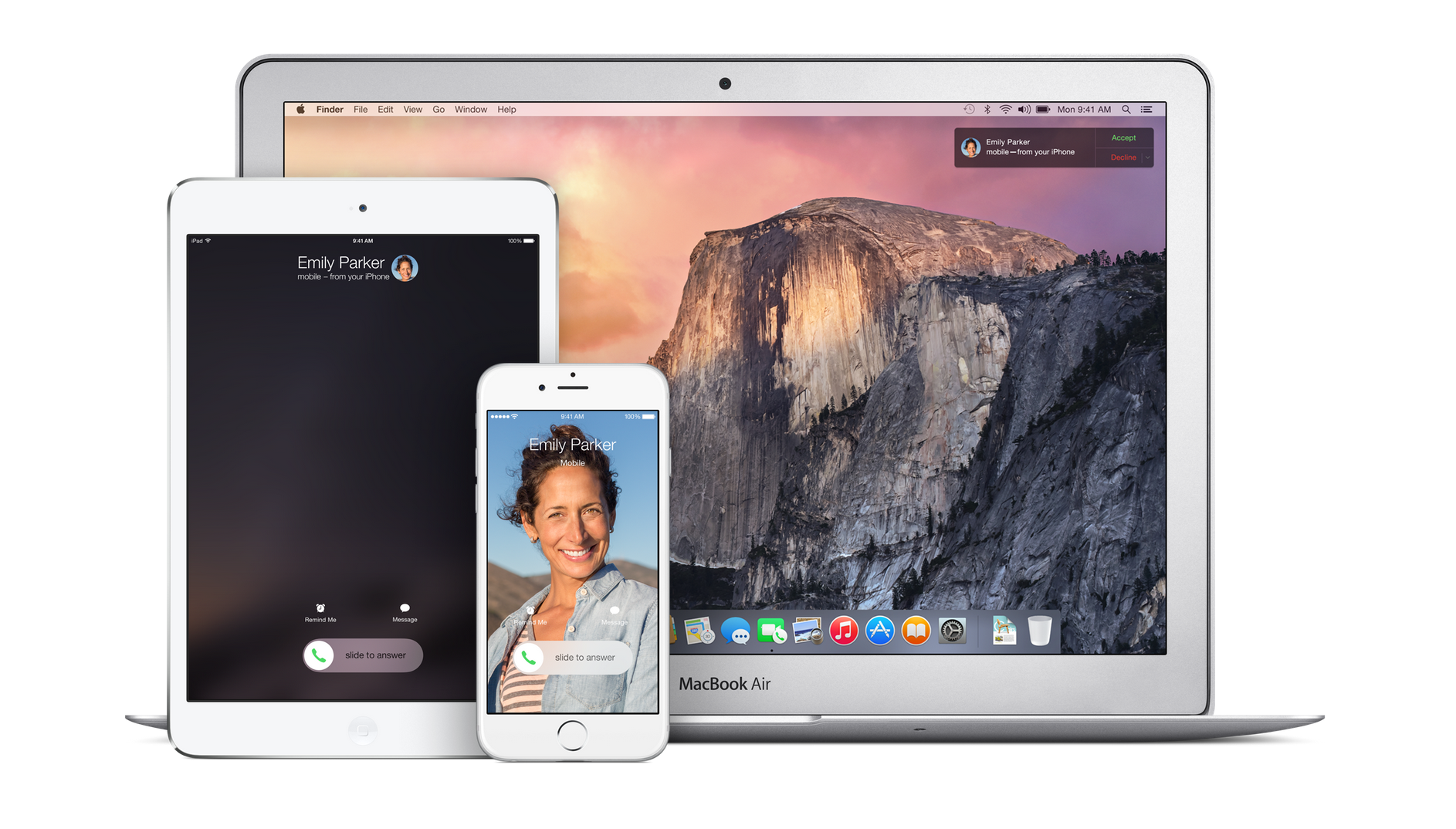
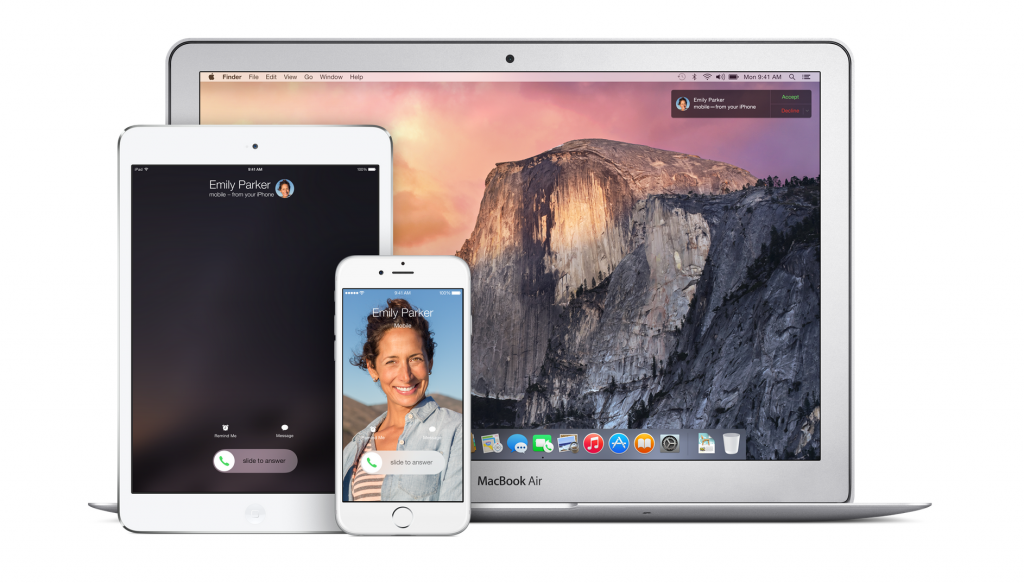
I've saved the best for last. The one feature I'm really looking forward to (and the majority of my Apple-using friends are salivating over) is a new feature that lets you start a task on your iPhone, carry on with it on your iPad and then finally, finish it on your Mac.
Features currently supported by Continuity – the aptly named new feature stack – support this 'task' syncing, the ability to make (and answer) calls if your phone is in another room and finally, the sharing of files between Mac OS X and iOS devices using AirDrop.
Apps that currently support 'hand-offs' between iOS and Mac OS X include Mail, Calendar, Contacts, Safari, Reminders/Notes, iWorks and Maps. Because Apple has made this functionality available to third party developers, however, it shouldn't be too long until we can hand-off between some of the more popular apps used across the Mac and iDevice worlds.
In order to get the full picture, you'll obviously need to run a soup-to-nuts Apple technology stack and be using both iOS 8 and the next version of Mac OS X (Yosemite).
Since the new Mac OS version is only due for public release in October though, we'll all have to wait another month or so before we get to enjoy all of this goodness.
[Images - Apple.com]